How to use
How to use Chart Playback
Chart Playback is a tool for practicing what to decide at each point as you move through historical charts, then reviewing with practice orders and notes.
Start with fictional sample instruments
You can try the main features without signing in, using fictional sample instruments.
All displayed instrument names and price data are fictional samples, not real companies, securities, or market data.
Make decisions as you replay a chart
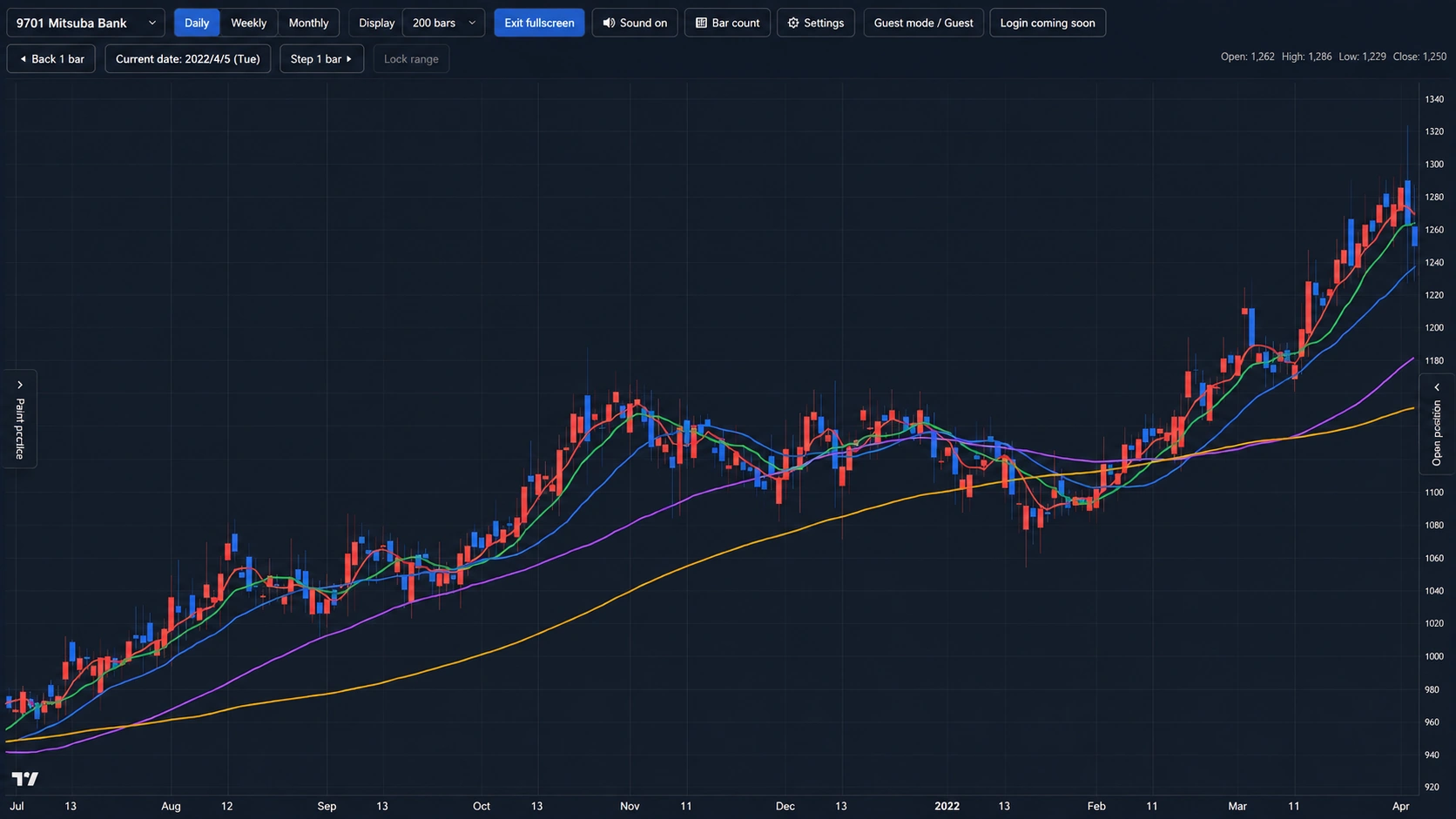
Moving through a historical chart little by little lets you practice what to decide with the information available at that point, without looking ahead at later price movements.
Use the on-screen controls or keyboard controls to move the visible position forward and back. Follow the guidance shown in the app for the available controls.
Select the image to open the original image.
How to use Chart Playback ① | Basic chart screen controls
This video is published in Japanese. English subtitles or an English audio track may be available from the YouTube player settings. Loading or playing the embedded video connects to YouTube.Open on YouTube
Record practice orders
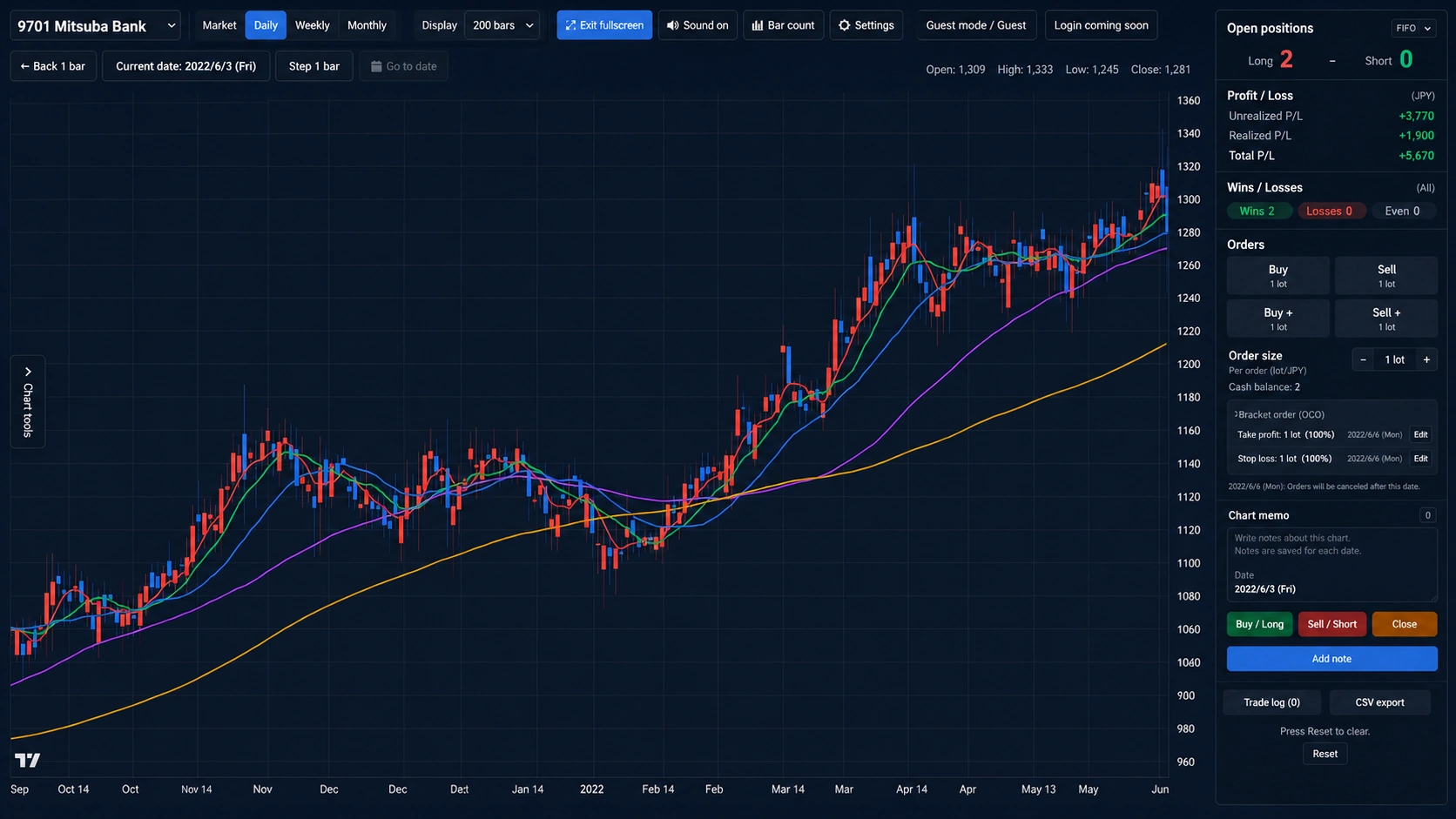
Practice deciding when to enter or exit. These actions are for practice only; no order is sent to a broker and no real transaction takes place.
Review your positions, unrealized and realized profit and loss, and trade log alongside the reasons for your decisions and what followed. This is a central use of Chart Playback.
Select the image to open the original image.
How to use Chart Playback ② | Practice orders, positions, and trade log
This video is published in Japanese. English subtitles or an English audio track may be available from the YouTube player settings. Loading or playing the embedded video connects to YouTube.Open on YouTube
Review with drawing practice
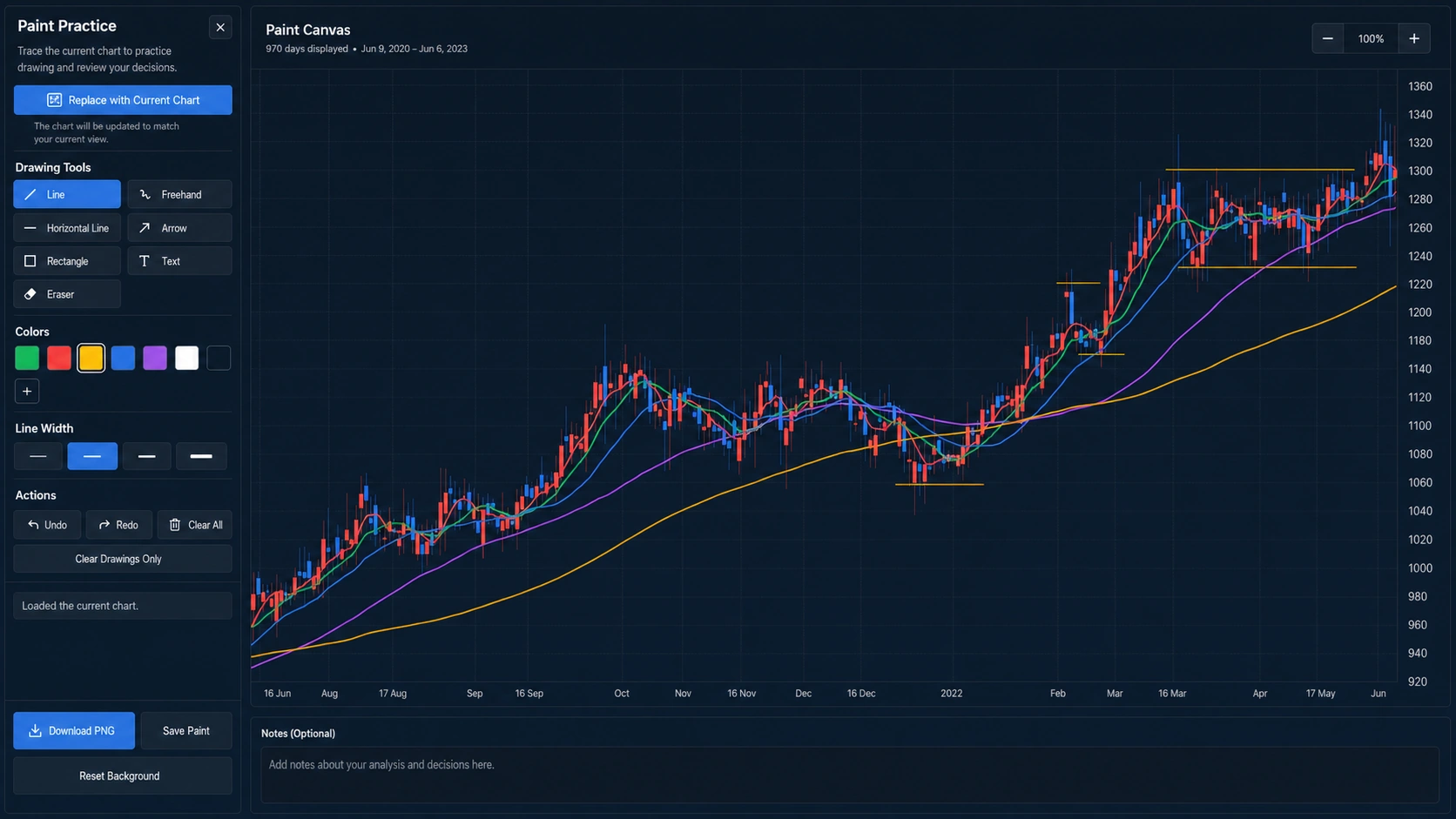
Leave lines and notes on a chart to review what you noticed and why you made a decision.
Separate from practice orders, this is a way to record how you were reading a chart or which moments drew your attention. Review it later to organize your thinking.
Select the image to open the original image.
How to use Chart Playback ③ | Draw on charts, save, and review
This video is published in Japanese. English subtitles or an English audio track may be available from the YouTube player settings. Loading or playing the embedded video connects to YouTube.Open on YouTube
Use price data you prepare with a free member account
Free members can sign in with Google or email OTP and load and save CSV price data they prepare in browser storage. The guest demo remains available without signing in, using fictional sample instruments.
Chart Playback Data Tool is a separate free desktop tool for saving daily price data as CSV and is available without a Chart Playback account or sign-in. For details about using your own CSV data in Chart Playback, see the price data guide.
The following video shows the basic flow for adding a prepared price-data CSV to Chart Playback and starting practice.
How to use Chart Playback ④ | Add your own chart data and practice
This video is published in Japanese. English subtitles or an English audio track may be available from the YouTube player settings. Loading or playing the embedded video connects to YouTube.Open on YouTube
Important notes
Chart Playback does not direct individual investment decisions or forecast future price movements.
You are responsible for your own investment decisions.
Try it first
Start with a fictional sample instrument.
Try the main features without signing in, moving through a chart at your own pace to begin decision-making practice.
Open Chart Playback