Windows / macOS
Desktop version
Download and run Data Tool as a desktop app. An official Windows build and unnotarized macOS evaluation builds are available.
- For Windows and macOS
- Current distributed version: 1.0.1
- Uses yfinance for data retrieval
Price-data tool
A free related tool for saving daily price data as CSV files.
Two versions are available: the desktop app and the Chrome extension. Both operate separately from Chart Playback and can be used without account registration or sign-in.
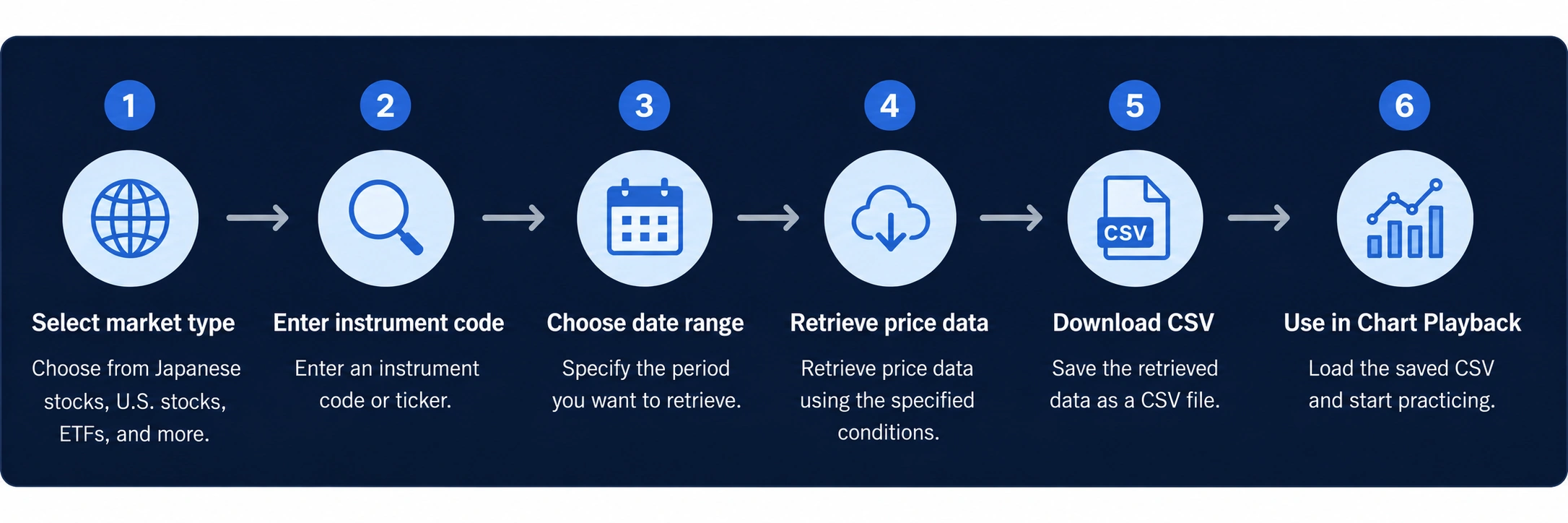
An example flow from preparing a price-data CSV with Data Tool to using it with Chart Playback.
Select the image to open the original image.
They serve the same basic purpose, but their installation and data-retrieval methods differ. Choose the version that fits your environment.
Windows / macOS
Download and run Data Tool as a desktop app. An official Windows build and unnotarized macOS evaluation builds are available.
Google Chrome
Add Data Tool to Chrome from the Chrome Web Store. It sends requests directly from the browser to the data source.
Data may not be available depending on the instrument, data-source status, or specification changes. Check dates, prices, missing values, and similar details before use.
Data Tool is a related tool that helps prepare price CSV files used with Chart Playback. It operates separately from the Chart Playback web app and can also be used on its own.
It does not provide investment advice, trading recommendations, forecasts of future price movements, or guarantees of profits.
Related information
Review the terms for each Data Tool version or find contact information.